Rule Report
Certora · Web Application
Making complex verification data easy to navigate.
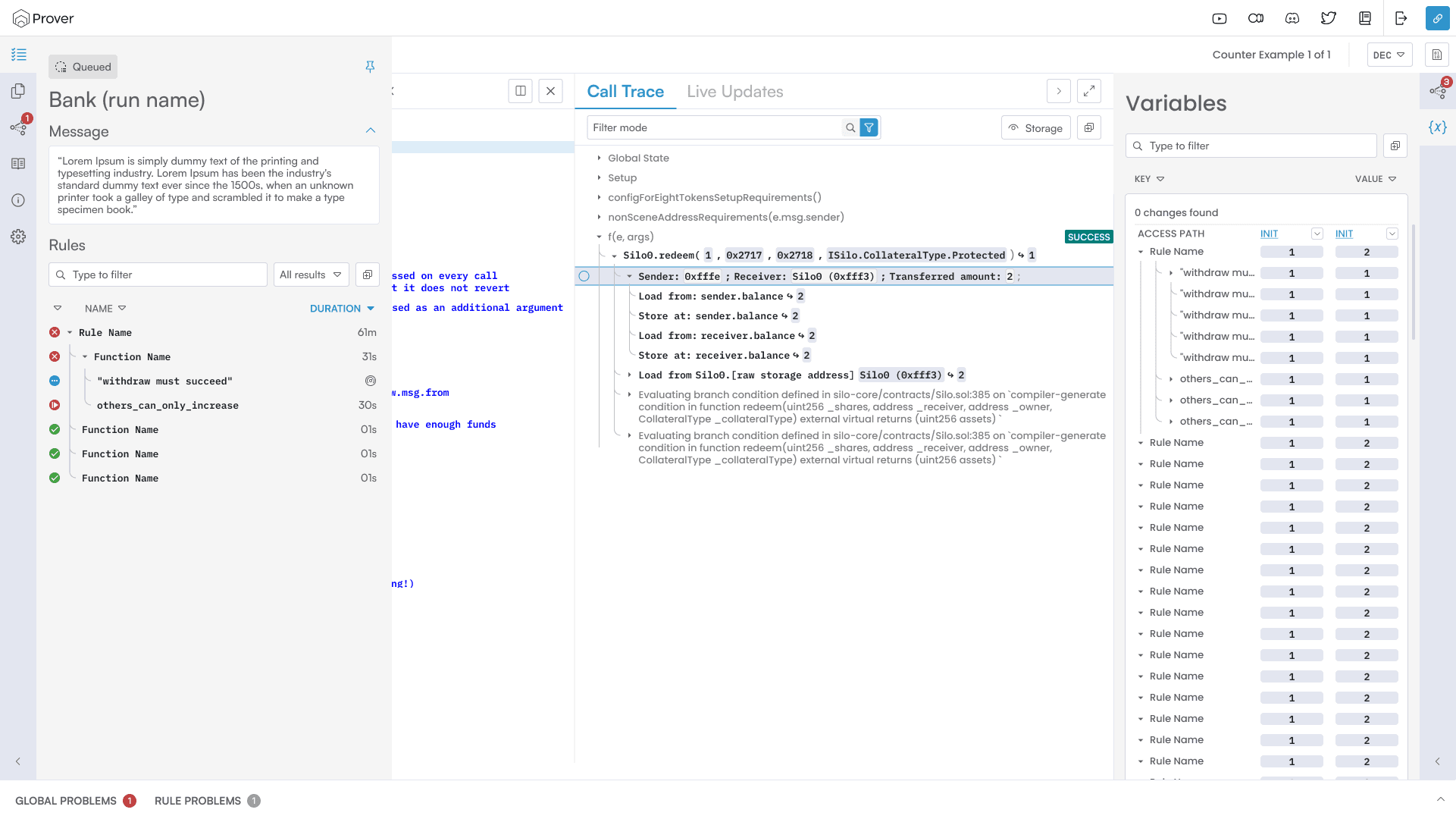
The Rule Report interface featuring the call trace, file viewer, and variables panel.
Understanding the Results
Once a verification run is complete, the results are presented in a web report. This is where developers find out which rules passed, see the call traces for violations, and inspect the state of variables.
The layout uses three interconnected panels: rules, traces, and variables, to provide a complete picture of any code violation.
Jump to Definition
Before this feature, developers had to manually hunt for the relevant line of code in VS Code, which broke their concentration.
I solved this by allowing users to open the exact block of code within the report itself. By embedding the source code, the report becomes a self-contained workspace for solving problems.
One mental model with four entry points: from rules, call traces, status reports, or global resolution.
A Unified Workspace
By embedding the code directly into the report, we removed the friction of switching between tools. This allows developers to maintain their focus and verify fixes much faster.